🔗
Triggers from outside
A workflow can be started via webhook with a key — from your ERP, a form on the website or a function. Inactive = rejected before the key is even checked.
An inspection report moves to "rework" — the subcontractor gets the mail with photo and deadline, the site manager the notification, and the report sits as PDF on the entry. Statuses and transitions are the process, actions hang on them. Whoever wants adds an AI step or their own function in between.
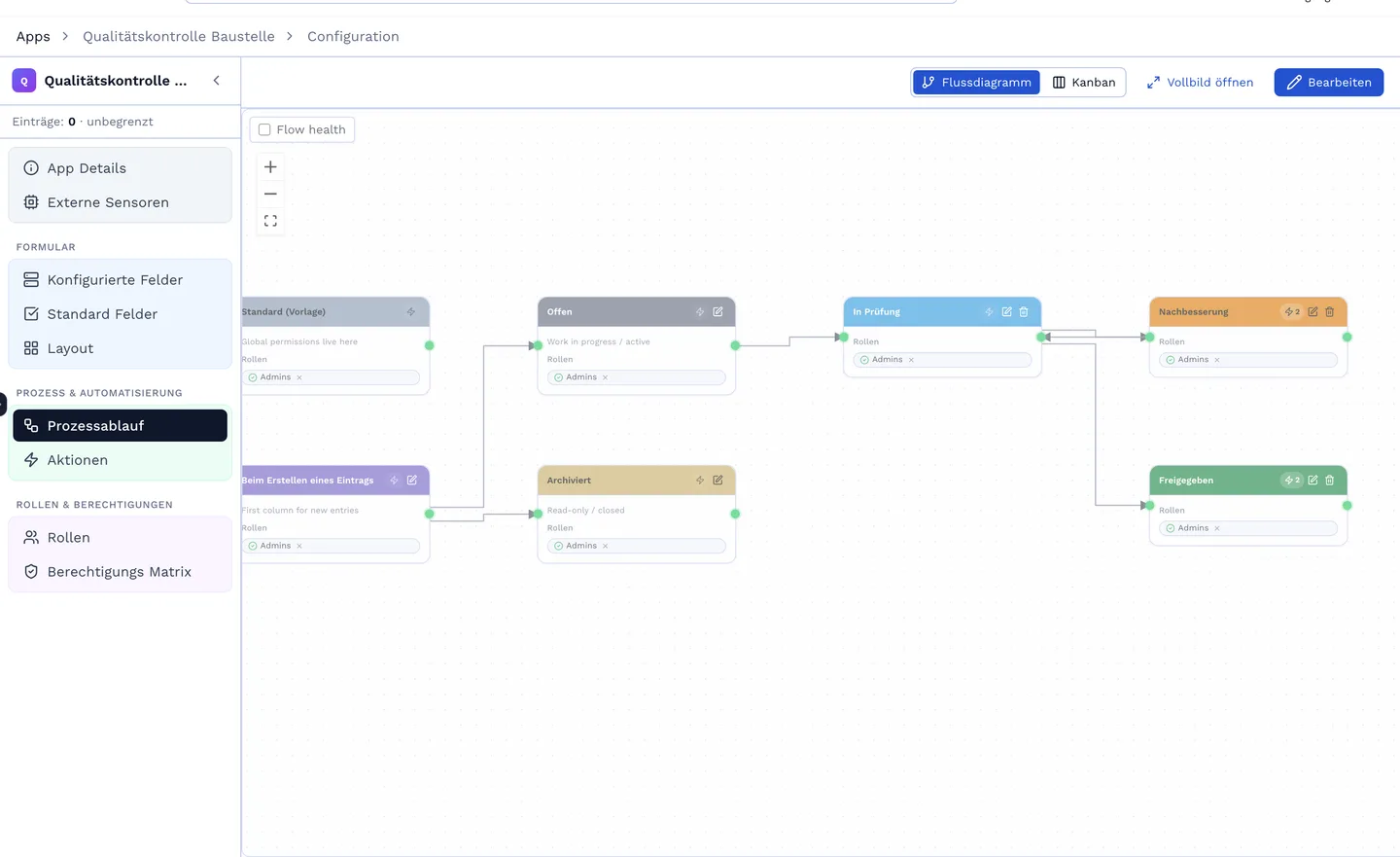
Every status knows its actions: e-mail with template and attachment, generate a document from a template (Word, PDF, Excel), create an entry in another app, create folders, webhook or REST call, function from the Studio, AI action with prompt. Conditions decide whether an action runs. Everything that ran is in the entry's log.
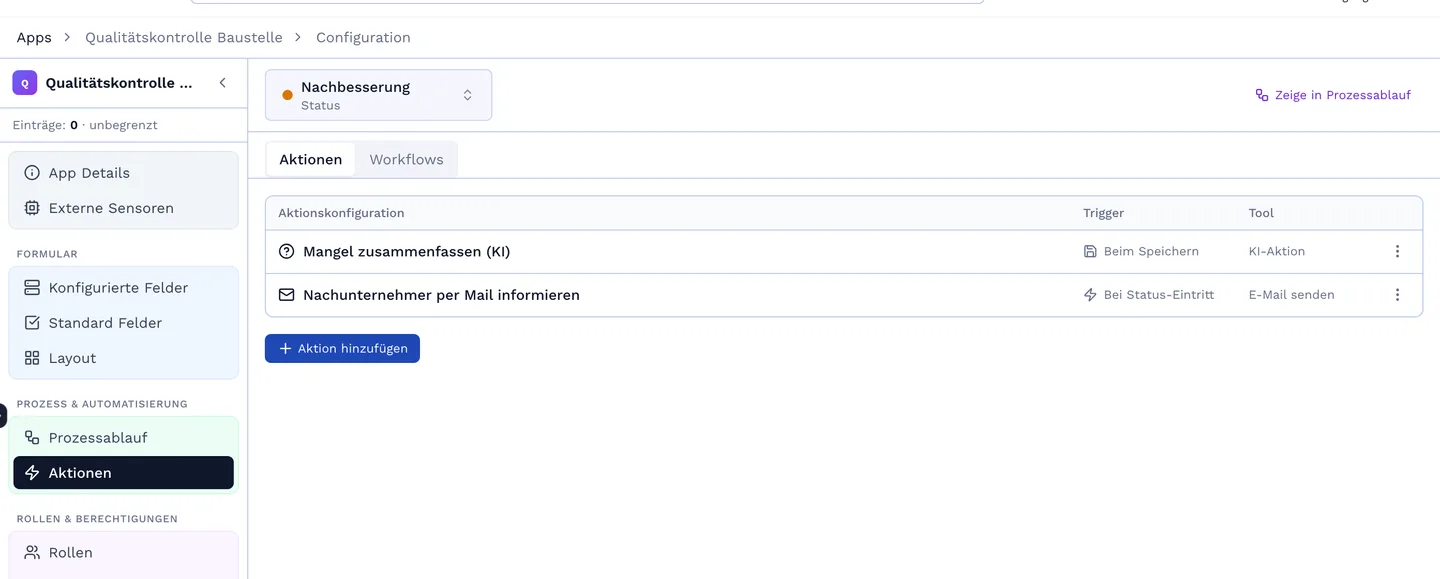
Beyond the app there are organisation-wide workflow definitions: a trigger, nodes for actions, branches, functions and AI, a target. Every run is logged — input, output, error — and can be resumed. The same action can be called from the workflow, from a function and by Bob: one entry point, three callers, the same rights.
A workflow can be started via webhook with a key — from your ERP, a form on the website or a function. Inactive = rejected before the key is even checked.
A transition only the site manager may make; the approval sits in the history with name, time and version. With a signature field when it matters — as a locked PDF with audit trail.
A node summarises, classifies, drafts the reply — with your models (BYOK) and the same permissions as Bob.
No-obligation introductory call. We build a live app with you that mirrors your real workflow.