
🧩
Your articles, your roles
An article carries a role — module, inverter, battery, wallbox — with the attributes the planner calculates with. If a required value is missing, the result is invalid, never silently zero.
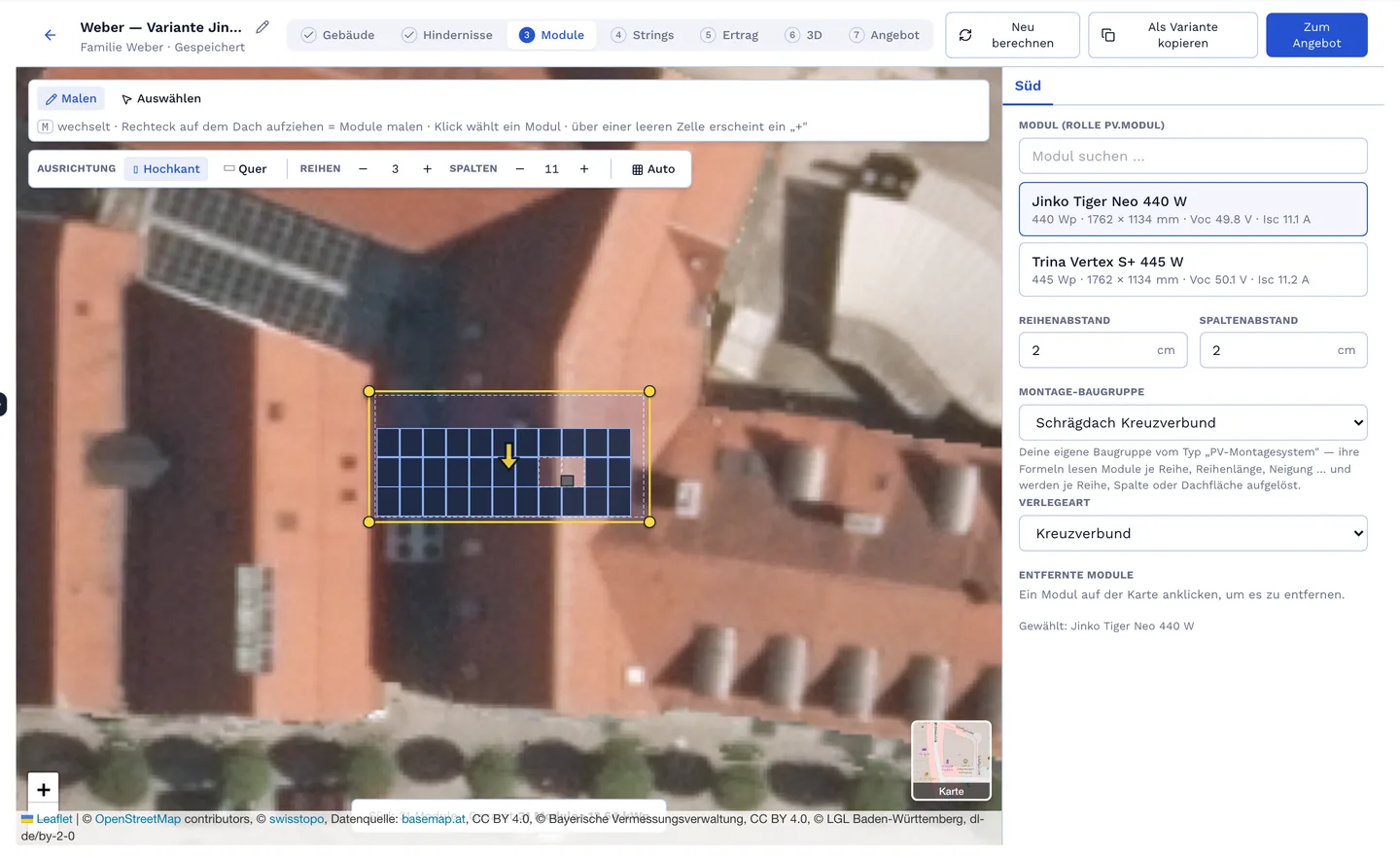
Drag roof areas on the aerial image, place modules, check strings, calculate shading and annual yield. Every planning figure writes the parts list into the quote: modules, inverters, mounting system from your catalogue, cables and hours by your rules. If the roof changes, an amendment with the difference lines follows — not a new quote.
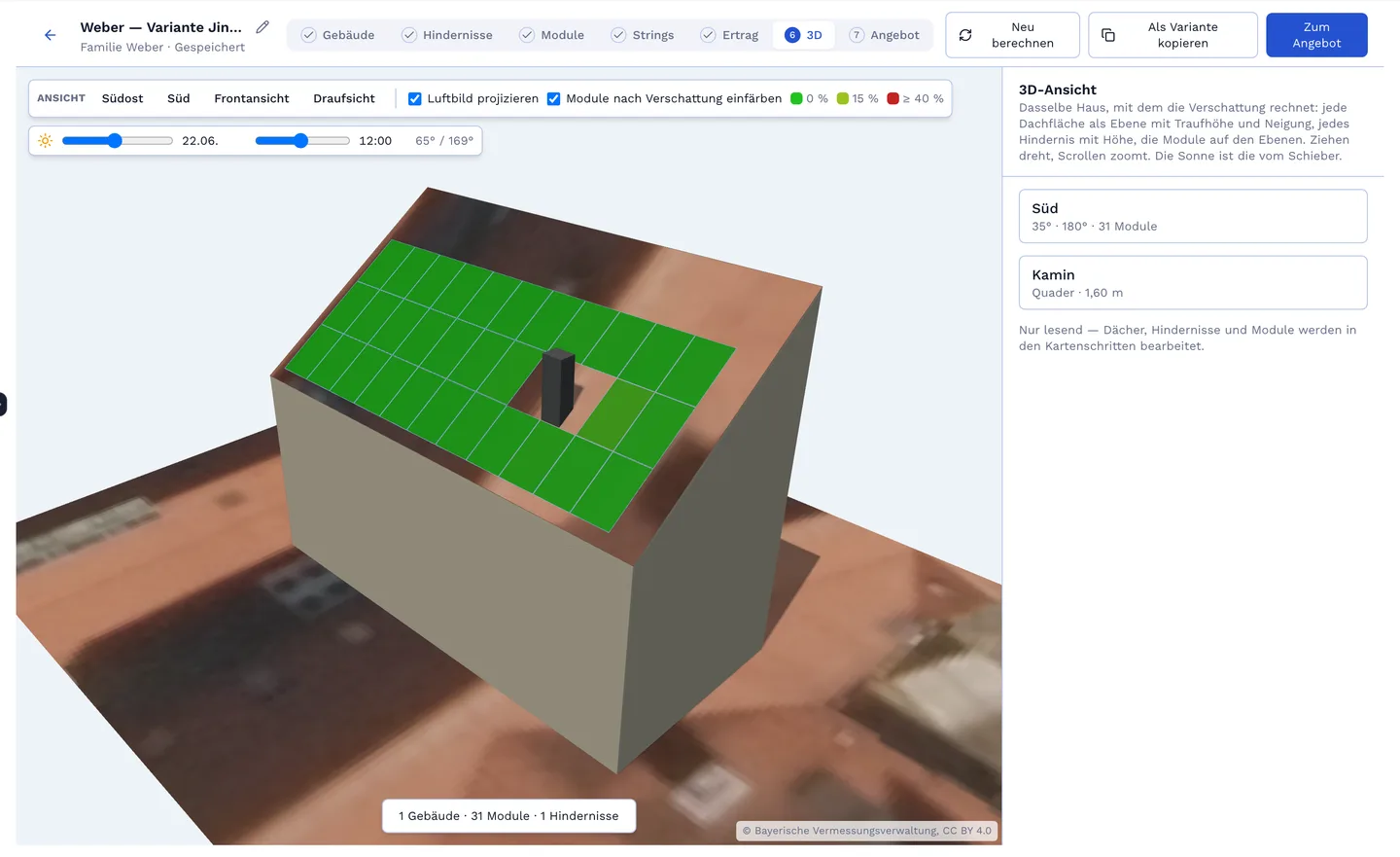
Every roof area as a plane with eaves height and pitch, every obstacle with height, the modules on top. The sun runs over date and time; modules colour by shading loss. The server calculates, the browser displays — module count, kWp, strings and yield come from the same answer that writes the parts list.
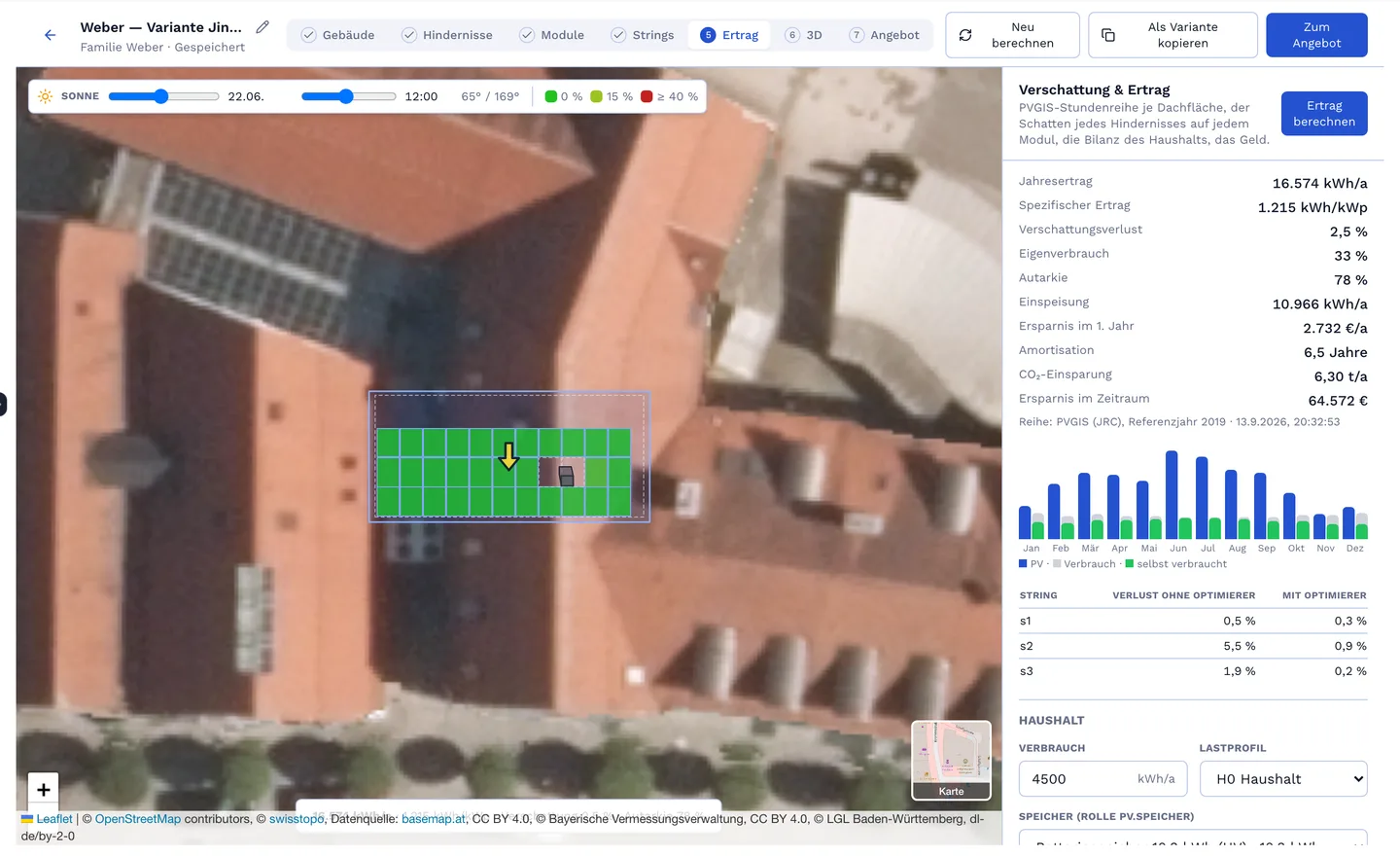
Consumption profile, battery, wallbox and heat pump in — annual yield, self-consumption, grid purchase, feed-in, savings and payback out. The simulation travels with the quote as long as the inputs match; if the roof changes, it is flagged stale instead of printing a wrong number.
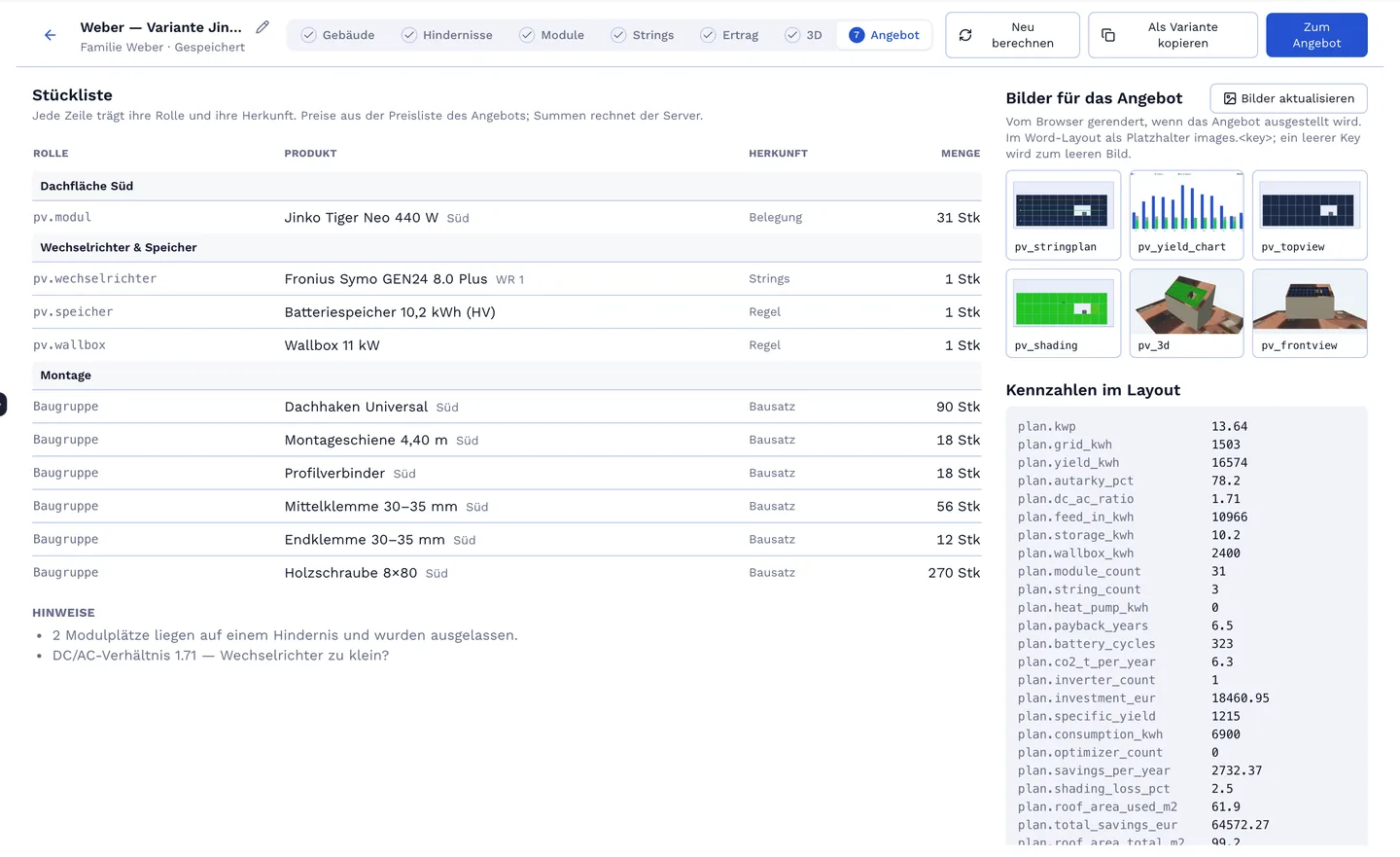
31 modules, 1 inverter, mounting system with clamps and rails, solar cable, installation hours — from the planning figures, from your catalogue, at your prices. The mounting system is your own kit with the planner inputs as formula names; cables and hours are standard positions of your document template with a quantity formula. None of it is hard-wired into the planner.
An article carries a role — module, inverter, battery, wallbox — with the attributes the planner calculates with. If a required value is missing, the result is invalid, never silently zero.
The plan follows the document: draft alive, issued frozen, accepted contract. Changes after that are an amendment with difference lines.
Bob changes the plan through the same interface as the editor — and you see the result before it goes into the quote.
An address — the aerial image comes from the official state services or OpenStreetMap — and your articles with role attributes. On request we set up a demo with modules, inverters and a mounting system for you.
The server. The browser draws projection and handles and sends the layout; module count, kWp, strings, shading and yield come back — and the same answer writes the parts list. So the number in the quote is always the number on screen.
No-obligation introductory call. We build a live app with you that mirrors your real workflow.