
📎
Attachments everywhere
Photos and files in the comment, in the chat, in the mail — and all of them land on the entry.
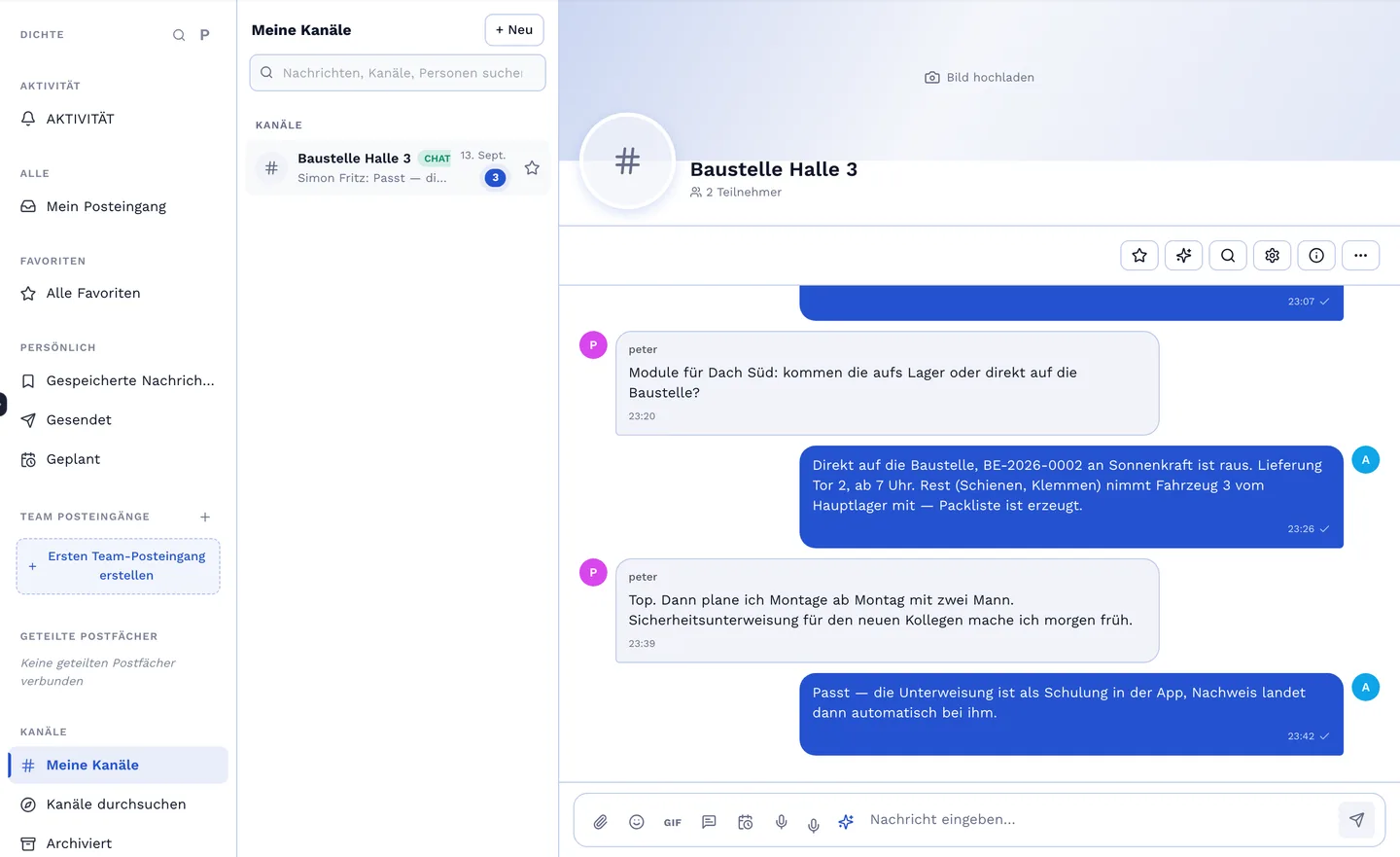
A comment on the inspection report, a mention of the site manager, a photo with it — and the notification lands with the right person, not with everyone. The chat is for the team, the e-mail hub for the mails that belong to the job, with templates for the replies. Everything stays where you find it again: on the entry.
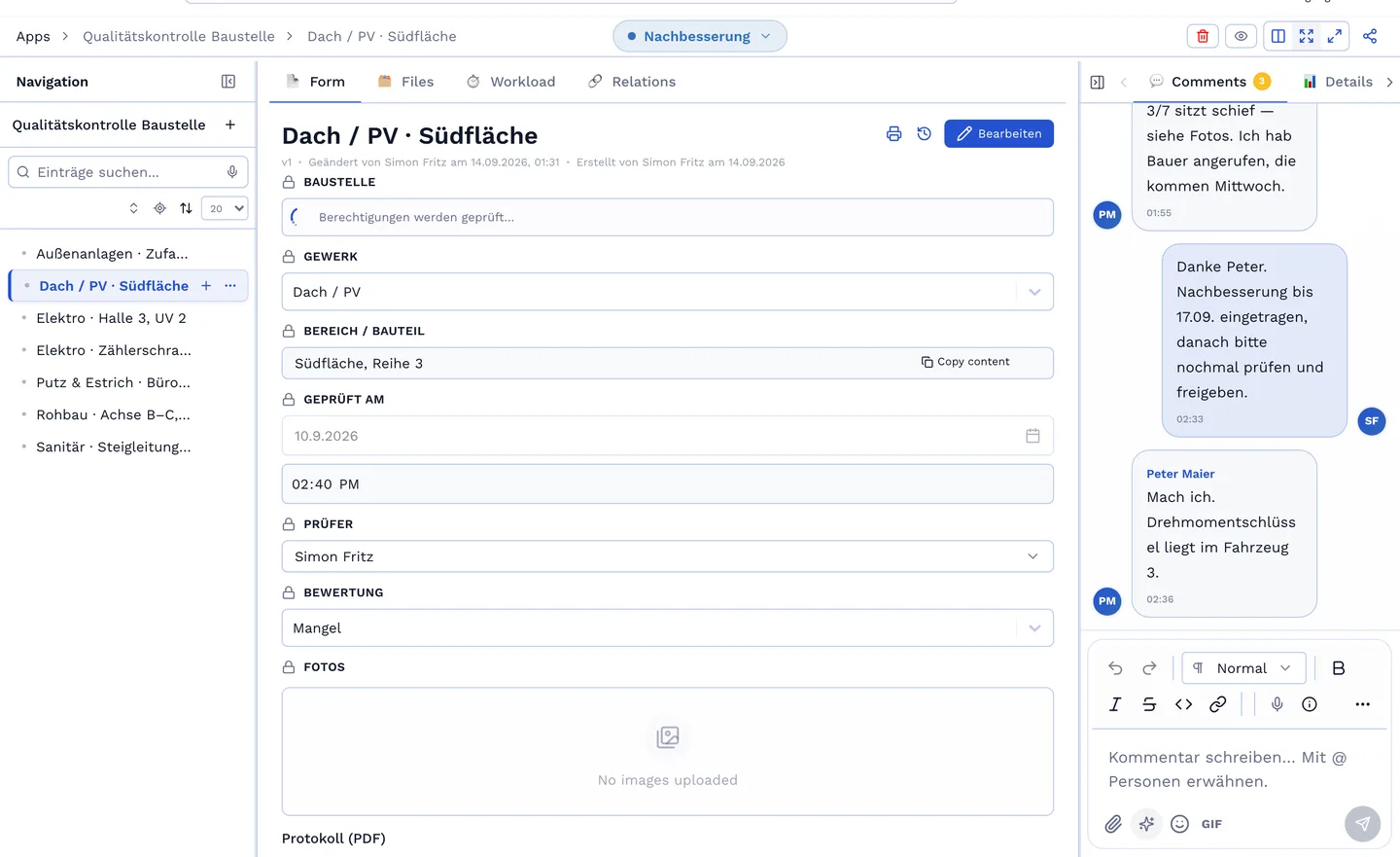
The hub connects a shared inbox — info@, service@ — with your cases: a mail is assigned to an entry, the reply goes out with a template, the history stays on the job. The chat runs alongside, with channels per team and direct messages. Bob suggests replies if you want.
Notifications arrive in the app, by mail or as push to the phone — configurable per event: mention, assignment, status change, due date, comment on your own entry. Rules per role, so accounting does not read every defect report. Templates for the mails the system sends, in your tone.
Photos and files in the comment, in the chat, in the mail — and all of them land on the entry.
Whoever may not see the entry does not see the comment either. Guests only see the thread of their shared entry.
A comment from the site without network is stored and sent as soon as there is signal again.
No-obligation introductory call. We build a live app with you that mirrors your real workflow.